3 pm Thursday. Bring the form.
Sticky notes that follow you to your desk.
Write a note on your phone and pin it. It's waiting on your Windows desktop, on top of everything, when you sit down. It's free, and your notes stay in your own Google Drive.
Free · no account with us · v0.42.1 · 15 Oct 2026
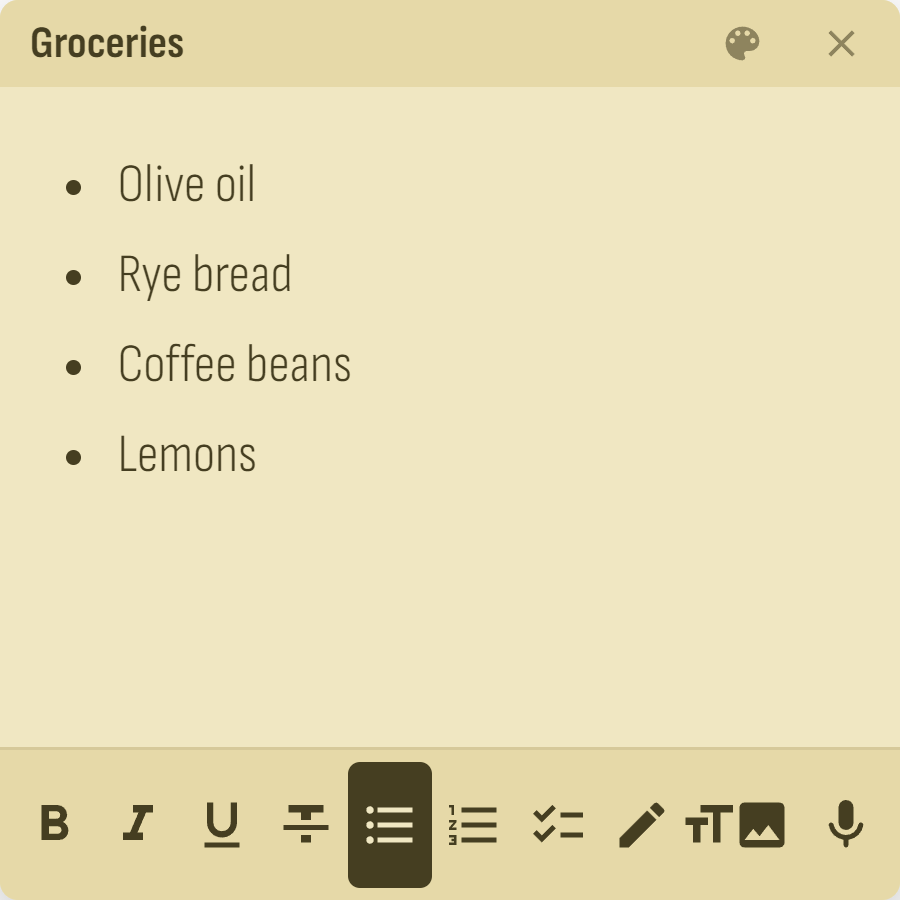
- Olive oil
- Rye bread
- Coffee beans
- Send the invoice
- Call the landlord
One note. Your phone, your Drive, your PC.
Here is the same shopping list three ways: a widget on your phone, a file in your Google Drive, and a sticky on your Windows desktop. Change it in one place and the others catch up.
Pin it from the sofa. Unpin it at your desk.
Pinning belongs to the note, not to one device. Tap the pin on the phone and watch the PC. The tuck button slides the sticky against the screen edge when it's in the way.
Pinned. The sticky is open on your PC.
Dentist
3 pm Thursday. Bring the form.
try both buttons
Everything a thought arrives as
Type it, tick it, draw it, photograph it or say it. One note holds all of it, and all of it syncs.
Checklists
Tick things off. Finished items fade and are struck through, and the widgets show the boxes too.
Drawing
Strokes follow your speed and pressure. Draw with a finger, pen or mouse, even over a photo.
Voice memos
Press record and talk. The clip sits in the note as a player.
Photos
Add pictures to a note, or share them in straight from your gallery.
Share from any app
Send in text, links and photos as a new note, or add them to one you pick.
Widgets
Put one note, your whole list, or a one-tap new note on your home screen.
Reminders
When it's due, the note pins itself on your PC and your phone buzzes.
Archive
Put a note away without deleting it. Undo is right there if you slip.
Ctrl+K and search
Jump to any note by typing a few letters. The list filters as you type.
Colours
Choose from nine colours and five patterns, or mix your own colours and paint your own pixel patterns.
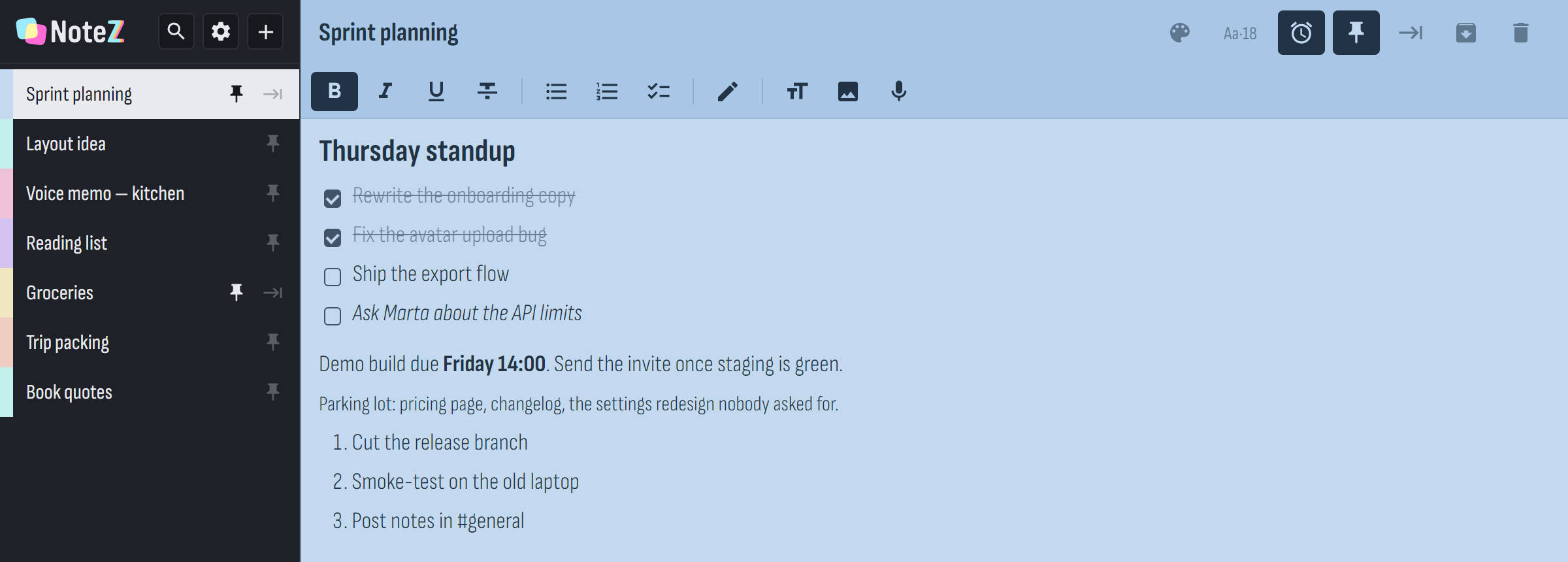
The full app on Windows shows your list on the left and the open note on the right. Pinned notes also float as their own stickies.
We never see a single word.
There is no NotezZz server and no NotezZz account, because there's nothing for us to run. Your notes are files in one folder of your own Drive. If you'd rather not sign in, they stay on your device.
- stored in
- My Drive › NotezZz › notes, with one file per note.
- app can open
- Only the files it created. That's Google's
drive.filepermission, and Google enforces it. - sent to us
- Nothing. We get no notes and no email address.
- analytics
- None.
- no sign-in
- Your notes stay on the device.
- updates
- The apps only ask GitHub whether a newer version exists.
Get it free
Windows 10 / 11 · 64-bit
For your PC
Stickies float above your work, and a tray icon keeps the app close. It can start with Windows if you like, and it updates itself.
Download for Windows
Android 7 or newer
For your phone
It has widgets, sharing from any app, reminders, and sign-in with the Google account already on your phone. It updates itself.
Download the app
Any modern browser
On the web
There's nothing to install, and you see the same notes from the same Drive folder. Add it to your home screen if you like.
Open the web appFirst run on Windows: the installer isn't code-signed yet, so Windows may say it protected your PC. Choose More info, then Run anyway.
First install on Android: the app comes from GitHub rather than the Play Store, so your browser asks once to allow it. After that, NotezZz offers its own updates.